'New Client Flow': What Should Happen in the First 24 Hours
The worst part of a new client isn’t the service—it’s the scramble. You’re hunting for allergies while they’re asking about parking, and the clock is already rude.
Let’s give that first day a backbone. Here’s a concrete 24-hour flow you can copy, tweak, and actually run.
Hour 0: The booking lands (immediately)
What happens:
Confirmation email + calendar invite go out within seconds.
Intake/consent link (mobile-first) is front and center.
Clear prep notes: arrive 5 minutes early, skip caffeine if relevant, remove eye makeup, etc.
House rules in one line: late window, cancellations, patch test policy—plain language.
Why it matters: People act while the decision is fresh. If you wait, they forget or second-guess.
What to avoid: Walls of text. If it won’t change their behavior, cut it.
Hour 1–2: The system does the admin (no human yet)
What happens:
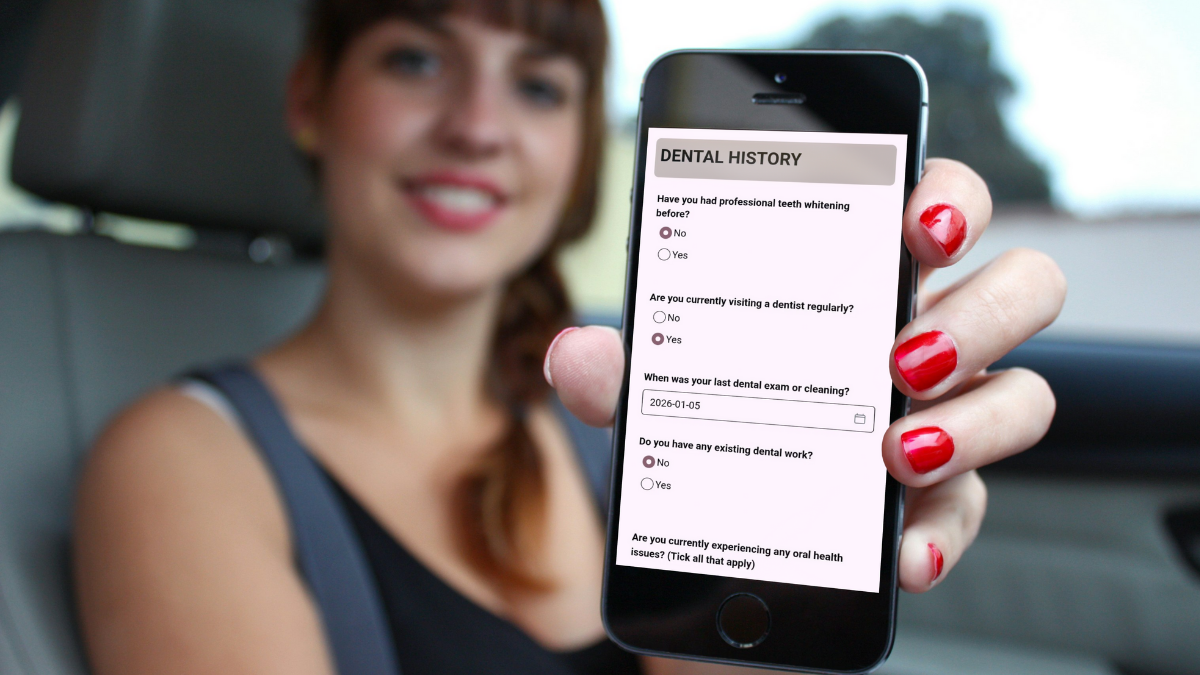
Client opens the form on their phone. Autosave is on.
They see only relevant questions (progressive disclosure).
They can upload photos (e.g., lash line, skin areas) without app-hopping.
Submission creates/updates the client record with timestamped consent.
Why it matters: This turns “paperwork” into part of the service—quietly, in the background.
What to avoid: Forcing a login. It’s a conversion killer.
Hour 6–8: Your quiet prep (5–10 minutes)
What happens:
You skim the intake for allergies, meds, sensitivities.
You set treatment notes (e.g., switch adhesive, patch-test plan, brow shade guardrails).
You attach any before photos or reference images to the file.
If something’s unclear, you draft a one-line follow-up for later: “Let’s confirm your retinol use when you arrive.”
Why it matters: Prep beats improvisation. Future-you wants clean records.
What to avoid: Rewriting their entire history. Notes should be actionable.
Hour 20: The reminder (the night before or morning of)
What happens:
Reminder message with the same intake link (only if incomplete).
Map link + parking note.
Gentle nudge on policies in one sentence.
“Reply here with questions.” It reduces no-shows and last-minute panic.
Why it matters: People mean well and forget. This is your safety net.
What to avoid: Three reminders. One well-timed note beats a nag.
Hour 23: The front-desk fallback
What happens:
QR code at reception for anyone who didn’t complete forms.
Staff can see in one glance: intake done? consent signed? photos attached?
If forms aren’t done, the script is simple: “Scan here—takes under two minutes.”
Why it matters: Backup plans keep schedules honest.
What to avoid: Paper clipboards “just this once.” That “once” turns into a drawer of trouble.
Hour 24: The hello
What happens:
You greet by name and confirm the key flag: “You mentioned sensitivity to X—thanks, we’ll use Y today.”
Micro-consent check: “Any changes since you filled the form?”
You start on time because everything you need is in the record.
Why it matters: The client feels seen, not processed. You feel prepared, not scrambling.
What to avoid: Relitigating the entire form out loud. Trust your prep.
What great looks like (mini checklist)
Mobile-first forms with autosave and photo capture
Progressive questions—only show what’s needed
Plain-language consent with timestamps
Searchable client record that surfaces flags in seconds
One reminder tied to completion status
Reception QR as the fail-safe
Tight arrival script: confirm, clarify, begin
Common places teams slip
Delaying the confirmation until “someone’s free.” Automate it.
Burying forms inside portals. Keep it link-first.
Asking for data you’ll never use. If it won’t change your protocol, delete it.
Letting paper sneak back in. Decide once: no paper, ever.
If you’re rolling this out next week
Turn on instant confirmations with a calendar file.
Add your intake + consent link to that email.
Set one reminder at the 20-hour mark.
Print a clean QR for reception.
Train a 30-second arrival script.
Review five new client files after day one and tighten any clunky fields.
Do this and the first 24 hours stop being a blur. They become a calm, predictable rhythm your clients can feel.


