Glow Forms vs Square: Cleaner, Findable Client Records
You’re halfway through a brow tint when a client asks, “Did I mention I’m allergic to parabens?”
You open Square to check notes. Nothing. Somewhere there’s a PDF from last year… in an email… maybe. Not ideal with dye on a spoolie.
Here’s the quiet fix: keep Square Appointments exactly as it is and let Glow Forms handle the consent, intake, and treatment records. No calendar migration. No “new portal” drama. Just clean client records that actually show up when you need them.
What stays, what changes
Square stays your booking brain—calendars, payments.
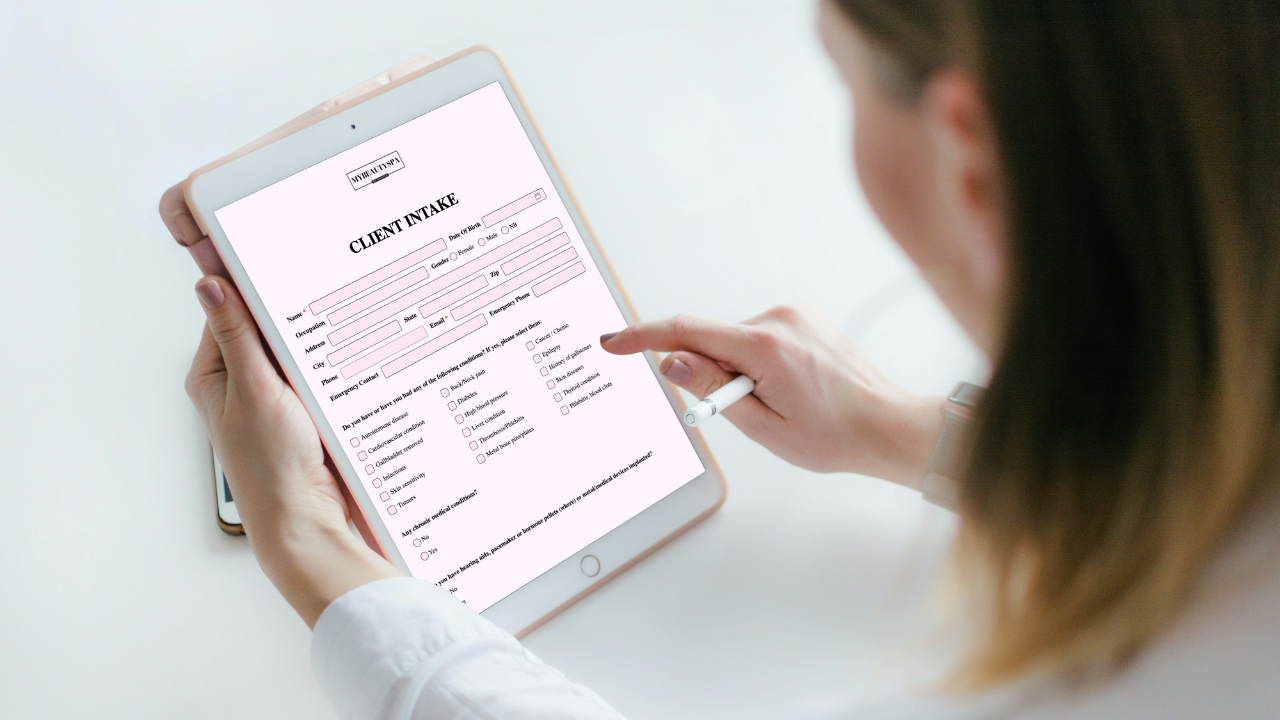
Glow Forms becomes your record system—branded digital consent/intake/treatment forms, all searchable in one place.
If you’ve tried to make generic form builders behave, you’ve felt the fight. Glow Forms is built specifically for beauty services—lashes, nails, facials, PMU, aesthetics—so the language fits the treatments and the look matches your salon, not a hospital clip-board.
How to pair Glow Forms with Square in an afternoon
You’re not “integrating” a spaceship here. You’re adding simple links that funnel every client through clean, branded forms.
Drop form links into Square’s messages
Paste your Glow Forms link into Square’s booking confirmations. Clients complete forms before they show up; you skim the info with your morning coffee.Put a QR code at reception
New clients scan, fill, done—on their phone while they wait. No printing. No clipboards. No deciphering pen-scribbles. Each Glow Form has its own QR code.Add a “Policies & Forms” button to your website
One tap from your site opens the form—no extra portals or logins. Works on phones, tablets, and desktops.Use branded forms, not bland ones
Your logo and brand colors carry through, so the first impression feels like your studio, not a random PDF. Clients notice. So do regulators when records look professional.Check records fast when it matters
Completed forms live in a searchable client database for repeats, allergies, history, or disputes. You’ll actually find what you need in seconds.
A tiny Tuesday story (because this is where tools earn their keep)
A new lash client books via Square on Sunday night.
Your Square confirmation includes a Glow Forms link. She completes consent + medical at home.
Tuesday 9:55 AM: you open her record in Glow Forms, skim previous reactions and patch-test note, and start on time.
She asks for aftercare details; you send a post-appointment form link with instructions from Glow Forms in one click.
No hunting. No “hang on, I’ll check my email.”
The big win isn’t “paperless.” It’s findable.
Paper gets lost. PDFs hide. Even decent notes scatter. Glow Forms gives you a single, tidy place for:
Consent + medical history matched to beauty treatments, not generic widgets.
Treatment records you can pull up on any device—fast. Mobile-friendly matters when your hands are busy.
Peace of mind around privacy and compliance (GDPR/HIPAA-friendly positioning, modern encryption). You don’t need to be a lawyer; you do need to look like you care—which you do.
What about switching systems? You don’t.
Let’s be honest: switching booking is where projects die. The calendars, the staff logins, the recurring clients—it’s a lot. This approach dodges that entirely. Keep Square Appointments. Use Glow Forms for records. If you ever grow into APIs or custom domains later, Glow Forms’ upper plans can accommodate that—choose based on the number of services/clients you manage, not “cheap vs expensive.”
Setup checklist you can do between clients
Copy your Glow Forms link and paste it into Square’s confirmations (Two minutes.)
Print the QR code for your most-used form and tape it at check-in. (Another two minutes.)
Add a “Client Forms” button on your website using the direct link. (No portal needed.)
Open a past client and search their records to feel the difference. (Very satisfying.)
Common worries (and real answers)
“I’m not good with computers.”
You don’t need to be. Glow Forms is click, type, save. Templates are ready; support is there if you want it.“Will my forms look like my brand?”
Yes—logo and colors, so your forms stop looking like hospital paperwork.“Is client data safe?”
Yes—modern security with GDPR/HIPAA-friendly positioning. You’re not the IT department; Glow Forms handles the heavy lifting.“Does it work on phones?”
100%. Clients complete forms on their phones, you review on whatever device you’re holding.
Here’s the catch: if you keep doing nothing, the mess keeps growing. If you add one link and one QR code, your records snap into place. That’s the whole play.