GlowForms Mobile-First Forms: finish on the phone, not the clipboard
The clipboard makes everyone lie.
They say “two minutes,” but it’s ten. You say “just sign here,” but you need allergies, meds, photos, consent. The first five minutes of the appointment disappear into bad pens and worse handwriting.
Let’s move the whole thing to the client’s phone and make it painless.
What “mobile-first” actually means (not just “works on mobile”)
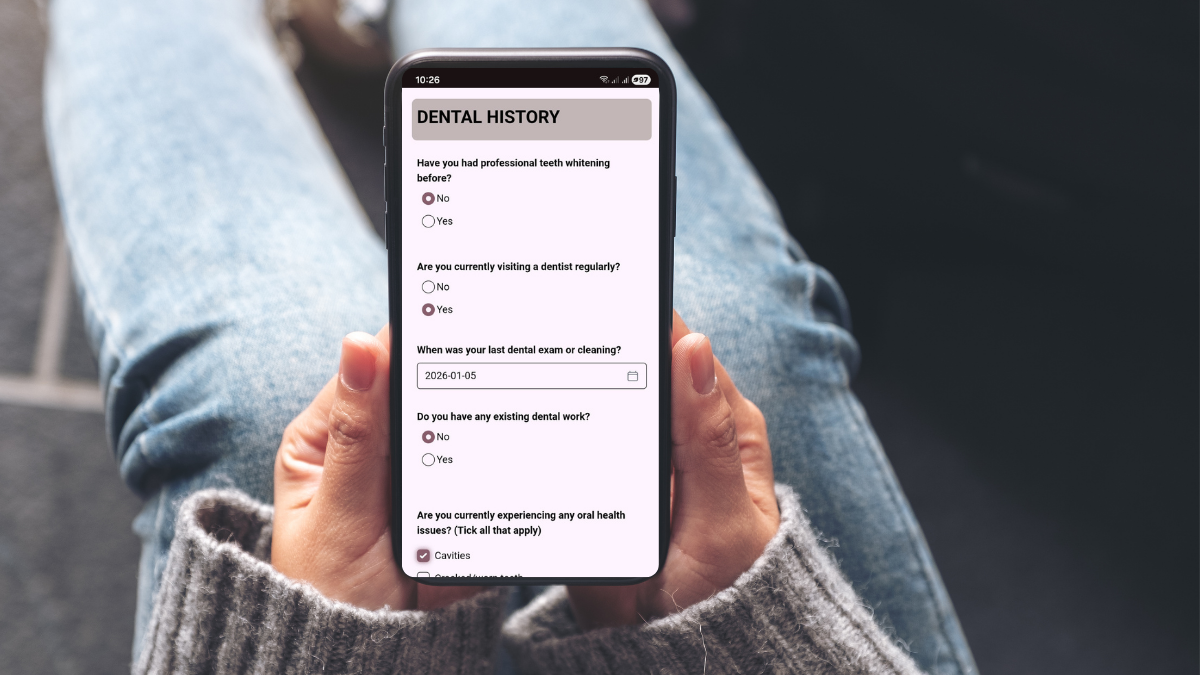
One column, big tap targets. No pinching, no zooming.
Native keyboards. Numeric pad for numbers, date pickers for dates.
Thumb-friendly layout. Labels above fields, plenty of spacing, sticky “Next” button.
Fast load, light pages. Images compressed, no heavy scripts. If it lags, people bail.
The must-have features that make forms finishable
Autosave + resume. Life interrupts—bus stops, doorbells, reception chats. Progress should stick.
Progressive questions. Show extra fields only when answers require them. “Yes” to photos reveals media release—otherwise, don’t show it.
Photo capture in-form. Open the camera for patch tests, reference pics, or reaction images.
Accessible color and type. Real contrast, 16px+ body text, clear error states with hints to fix.
Timestamped signature. Clean, auditable consent without printing anything.
The flow that actually works (steal this)
1) After booking: send the form link in the confirmation—first line, not buried.
2) 24 hours before: one reminder if it’s incomplete.
3) At reception: QR code as the backup; the form opens to the halfway point with autosave.
4) In the record: submission attaches to the client profile with time, and any photos.
Result: you greet by name, confirm one or two flags, and start. No “please initial here and here and…”
Micro-scenarios (so this feels real)
Lash fill at 5:30 p.m.: Client completes a 2-minute update on the bus. You see “sensitive to X,” switch adhesive, skip the panic.
Brow lamination walk-in: They scan the QR
Facial first-timer: They add the serum that made them itchy last month. You plan a calmer protocol before they sit down.
Copy you can paste into your welcome email
Add to calendar: attached file.
Complete your form: [short link] (takes 2 minutes, saves as you go).
Quick prep: clean lashes; avoid heavy eye cream; 10-min grace window; reply to reschedule.
Short, human, and right at the top.
Safety without scaring people
Keep the tone calm: “We store your info securely and only use it for your care.”
Make the form the easiest part of the visit and Tuesdays get quieter—fast.