How to Create a Client Intake Form for Brow Mapping and Permanent Brow Consultations
A strong client intake form for brow mapping and permanent brow consultations does more than collect contact details. It helps you prepare before the appointment, understand what the client wants, and keep your records organized afterward. If you are a brow artist, PMU professional, or part of a small beauty team, the right form can make consultations smoother for both you and your clients. In this guide, you will learn what to include, how to structure it, and how to make it easy to complete on mobile.
What is a client intake form for brow mapping and permanent brow consultations?
A client intake form for brow mapping is the information you collect before or during a brow consultation. It usually includes client details, brow goals, service history, relevant skin or sensitivity notes, and acknowledgments or signatures.
This is different from a basic salon contact form. A general intake form may only ask for name, phone number, and appointment type. A brow mapping consultation form or permanent brow consultation form needs more detail. Brow services often involve shape preferences, past brow work, reference photos, and consultation-specific notes that guide your recommendations.
For permanent brow services, you may also need a more detailed PMU intake form or permanent makeup consultation form to document prior procedures, healing expectations, and suitability for booking.
Why brow artists need a dedicated consultation intake form
A dedicated brow intake form helps you start the appointment with context instead of starting from scratch. You can review the client’s goals ahead of time, spot questions to discuss, and spend less time repeating the same basics during the consultation.
It also improves your workflow. When client preferences, photos, notes, and signed acknowledgments are kept together, follow-ups are easier. You are not digging through texts, camera rolls, or paper files trying to remember what was discussed at the first visit.
Most importantly, it helps create a better client experience. Clients feel heard when your consultation reflects their goals and concerns from the start.
Core sections every brow mapping client intake form should include
A solid brow client intake form should cover these basics:
Client and appointment details
Include full name, phone, email, date of birth, preferred contact method, consultation date, service type, artist name, and whether the visit is a first appointment or follow-up.
Brow goals and preferences
Ask about desired shape, fullness, symmetry concerns, and overall style preference. A few checkboxes plus a short written answer work well here.
Brow history
Include questions about waxing, threading, tinting, henna, lamination, microblading, PMU, or correction work. This gives you a fuller picture before you make recommendations.
Skin and sensitivity notes
Ask about known allergies, sensitivities, topical product use, and any relevant skin conditions around the brow area. Keep the wording clear and easy to understand.
Photo acknowledgment and confirmation
If you take consultation photos or before-and-after images, include an acknowledgment section. Finish with signature and date fields confirming that the client’s information is accurate.
What to include for brow mapping consultations
A brow mapping consultation form should focus on natural brow shape, styling goals, and current pain points. Ask about uneven growth, sparse areas, over-tweezing history, and what the client struggles with in their daily brow routine.
Include questions about preferred arch height, thickness, softness versus definition, and whether they want a polished or more natural look. It also helps to add a field for inspiration photos or image uploads before the appointment.
Leave room for your own notes too. A mapping section for facial symmetry observations, shaping recommendations, and agreed next steps can make repeat visits much easier.
What to include for permanent brow consultations
A permanent brow consultation form or microblading consultation form should go deeper. Ask whether the client has had previous permanent makeup, powder brows, microblading, lightening sessions, or correction work. You can also ask how prior pigment healed or changed over time.
If relevant to your service process, include plain-language screening questions about health history or skin-related factors. Keep these practical and limited to what you actually need for the consultation.
It is also helpful to document healing and maintenance expectations. Include a section confirming that results can vary and that the consultation is based on client-reported information. You can finish with an outcome field such as approved to book, follow-up needed, or not a fit at this time.
Questions that help prevent mismatched expectations
Some of the most useful questions are the ones that clarify what the client does and does not want. Ask:
- What do you want your brows to look like day to day?
- Do you prefer a natural, soft look or a more defined result?
- What do you want to avoid?
- Do you have concerns about shape, color, symmetry, or previous brow work?
Use checkboxes for speed, then add one short-answer field for detail. This keeps the form fast while still giving you information you can use in the consultation.
How to structure the form so clients actually complete it
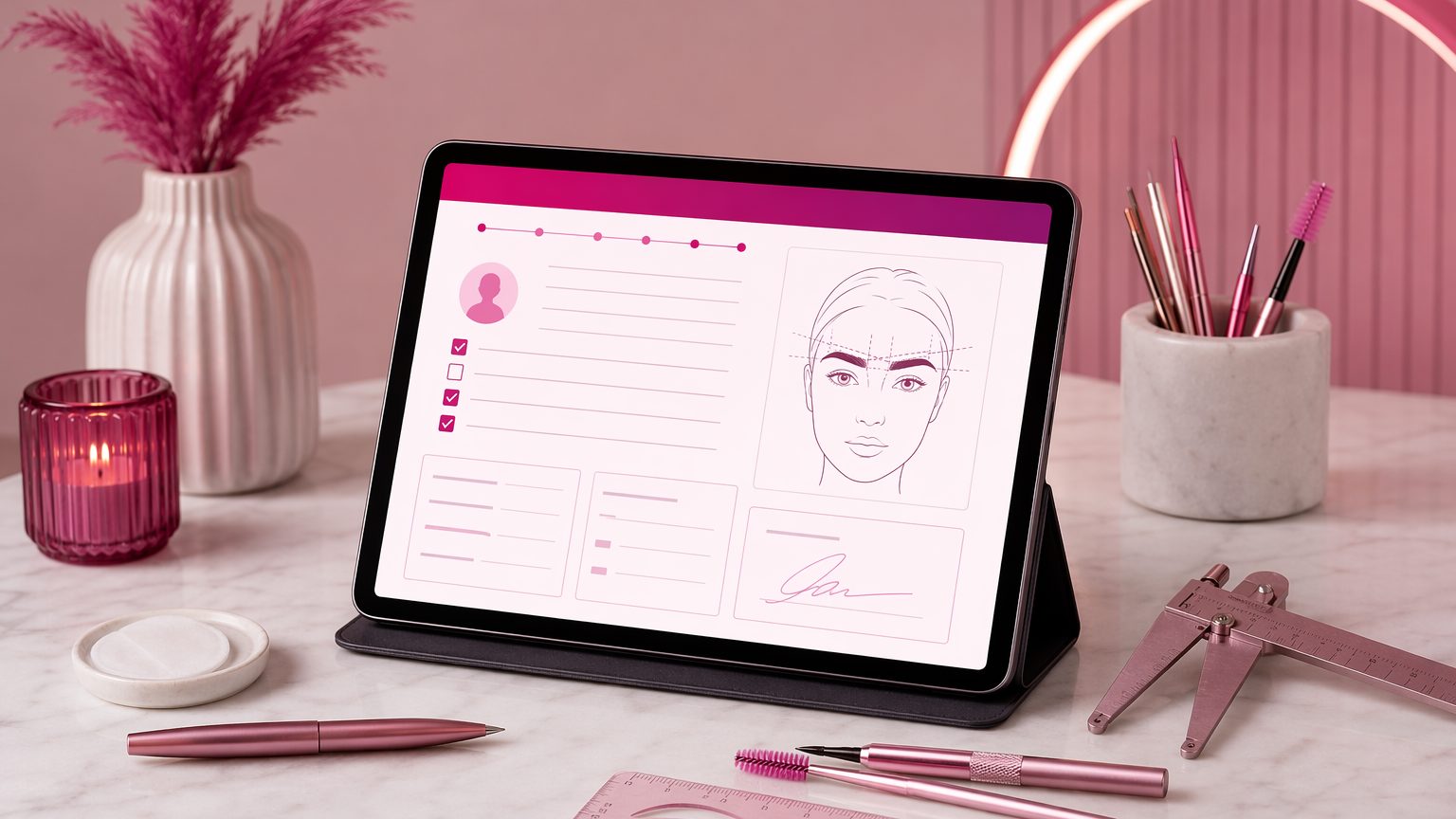
Even the best brow consultation form template can fail if it feels too long or confusing on a phone. Keep the layout simple and break it into sections: contact info, brow history, preferences, consultation notes, acknowledgments, and signature.
Start with easy questions first. Save more detailed or sensitive questions for later in the form. Use plain language instead of technical terms where possible.
Conditional logic can also help. For example, only show prior PMU questions if the client answers yes to previous permanent brow work. Well-structured digital intake forms for brow artists reduce back-and-forth and are easier for clients to finish before they arrive.
Paper vs digital intake for brow consultations
Paper forms can work, but they create extra admin. Handwriting can be hard to read, storage gets messy, and clients usually complete them after they arrive, which leaves you less time to review.
Digital forms are more convenient. Clients can fill them out before the consultation, you can check answers in advance, and records stay searchable for future touch-ups or follow-ups. For brow artists who offer repeat services, searchable digital files are especially useful.
Common mistakes to avoid
When building a brow intake form, watch out for these common issues:
- Making the form too generic
- Asking for too much upfront without context
- Using unclear acknowledgment or approval language
- Forgetting photo acknowledgment when images are part of your process
- Leaving no space for artist observations
- Not testing the form on mobile before sending it
A form should support the consultation, not slow it down.
Sample outline for your own brow consultation form
You can use this simple structure:
- Contact details and appointment information
- Brow goals and style preferences
- Brow service history and prior PMU history
- Skin, sensitivity, and relevant screening questions
- Photo acknowledgment and consultation notes
- Client confirmation, signature, and date
Adjust this outline to match your service menu and local requirements.
How to keep consultation records organized
Once a form is submitted, organization matters just as much as the questions you asked. Store each client’s forms, notes, signed documents, and photos in one place. Use consistent naming, keep dates clear, and attach consultation records to the client profile so they are easy to find later.
This makes follow-ups smoother, supports team handoffs, and cuts down on admin time between appointments.
Conclusion: Build a better brow consultation experience
A well-built client intake form for brow mapping and permanent brow consultations helps you prep better, document clearly, and guide the appointment with more confidence. Review your current form, add service-specific questions, and make sure the layout works well on mobile.
If you want an easier way to create digital forms, collect signatures, and keep brow consultation records organized in one place, try GlowForms.